
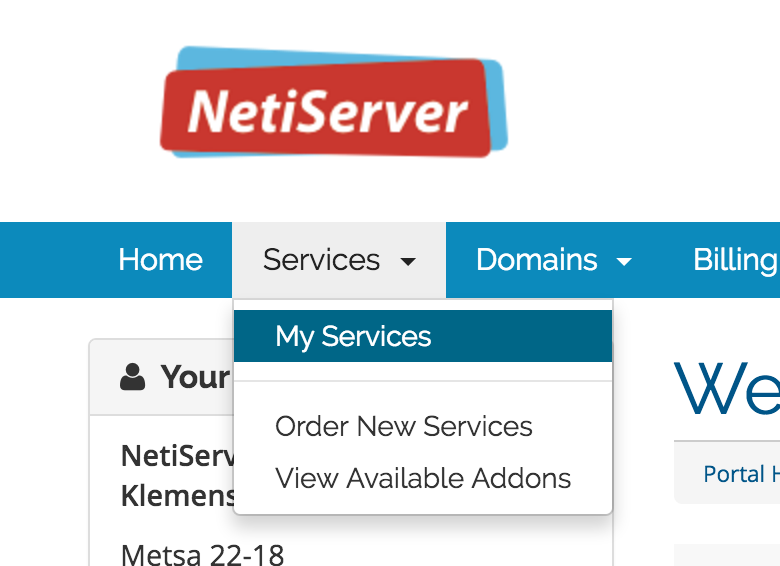
2. After logging in, select "My Services" from top menu:
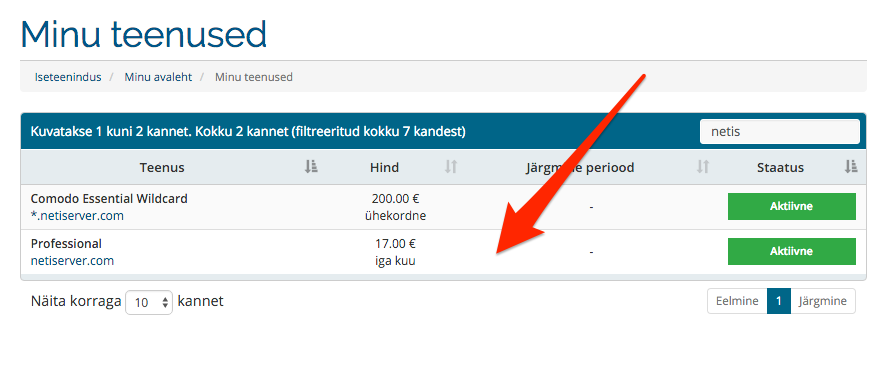
3. List view of your services, click on the one that you would like to change:
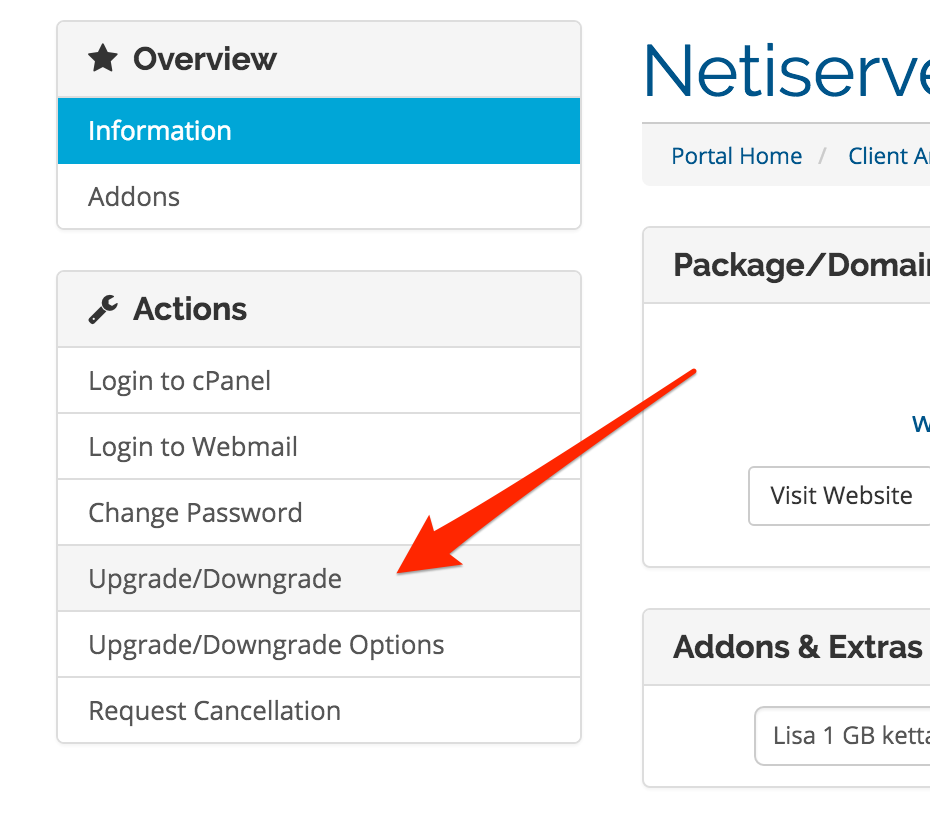
4. From the service details page, you'll find a menu item "Upgrade/downgrade" from the left side menu:
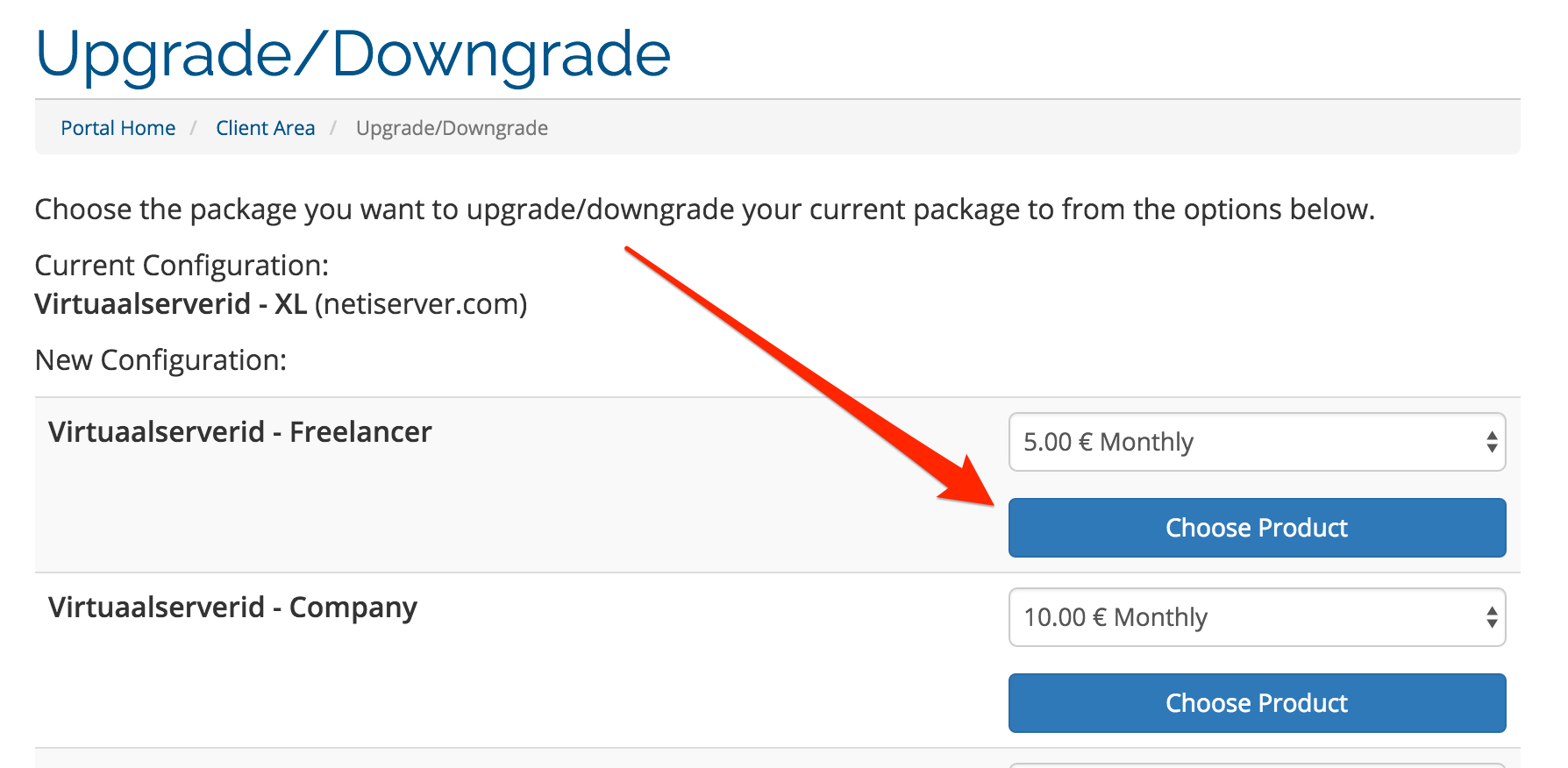
5. Select a suitable new package, payment cycle and click the button "Choose Product":
6. It's done! Your package change order has now beeing processed. Information regarding this change has been emailed to you.